apoorvasheth
Geek Trainee
Hello Everybody,
My Laptop’s Issue...
This morning, when I turned ON my laptop, I see the entire display of my Laptop being shifted from Right to Left by 10% thereby leaving black area at the right hand corner. Last week, when I turned on my laptop for about few mins, the screen was perfect positioned fine. However, due to the internal fan not rotating, I had to shut down my laptop within 5-7 mins. I had also Disassembled and Reassembled the entire laptop 2 weeks back to check the Fan area if there’s any dust and used Vacuum Blower to remove any dust in the Fan area if any.
Also, I could see that the Fan’s connector was properly connected to Motherboard. After Re-assembling everything, I turned on my Laptop and I could still see the Display being positioned perfectly fine! But, the Fan still wasn’t rotating.
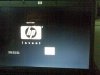
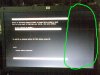
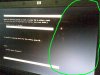
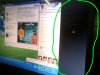
Also, when I hooked up an external monitor to my Laptop VGA connection, the display positions perfectly fine on an external monitor! But still, the display remains shifted to Right on the LCD screen of my HP 530 Laptop. This I believe is a physical shift taken place as while under BIOS Settings mode also, the Display is shown shifted to right.
Therefore, this is not an OS issue or a Resolution issue.
For your all reference, I have uploaded all possible screenshots taken from different angles with my Nokia Cell Phone along with this post if you could kindly take a look at it.
http://apoorvasheth.fileave.com/03112009(005).jpg
http://apoorvasheth.fileave.com/OS%2...ion Mode.jpg
http://apoorvasheth.fileave.com/Scre...ot Mode).jpg
http://apoorvasheth.fileave.com/Scre...XP Mode).jpg
Kindly let me know of the solution please...
Regards,
Apoorva.
My Laptop’s Issue...
This morning, when I turned ON my laptop, I see the entire display of my Laptop being shifted from Right to Left by 10% thereby leaving black area at the right hand corner. Last week, when I turned on my laptop for about few mins, the screen was perfect positioned fine. However, due to the internal fan not rotating, I had to shut down my laptop within 5-7 mins. I had also Disassembled and Reassembled the entire laptop 2 weeks back to check the Fan area if there’s any dust and used Vacuum Blower to remove any dust in the Fan area if any.
Also, I could see that the Fan’s connector was properly connected to Motherboard. After Re-assembling everything, I turned on my Laptop and I could still see the Display being positioned perfectly fine! But, the Fan still wasn’t rotating.
Also, when I hooked up an external monitor to my Laptop VGA connection, the display positions perfectly fine on an external monitor! But still, the display remains shifted to Right on the LCD screen of my HP 530 Laptop. This I believe is a physical shift taken place as while under BIOS Settings mode also, the Display is shown shifted to right.
Therefore, this is not an OS issue or a Resolution issue.
For your all reference, I have uploaded all possible screenshots taken from different angles with my Nokia Cell Phone along with this post if you could kindly take a look at it.
http://apoorvasheth.fileave.com/03112009(005).jpg
http://apoorvasheth.fileave.com/OS%2...ion Mode.jpg
http://apoorvasheth.fileave.com/Scre...ot Mode).jpg
http://apoorvasheth.fileave.com/Scre...XP Mode).jpg
Kindly let me know of the solution please...
Regards,
Apoorva.