

Low fps in games :(

Icyrock

Geek Trainee
Hi, i have just built a new pc with these specs:

AMD Athlon(tm) 64X2DUAL Corse Processor 4600+ 2.41GHZ
2GIG RAM
Point Of View 8800GTS 320MB DVIx2 HDCP PCI-E
500GIG Harddrive.

The problem i am having is that in games im not getting higher than 30FPS, such as counter strike 1.6, Enemy territory and COD2.

The sepcs of the graphics card are:
Graphics Engine - NVIDIA 8800 GTS GPU
Video Memory - 320 MB
Core Clock - 513 Mhz
Memory Clock - 1584 Mhz
Memory Speed - 1.1 ns GDDR 3
Memory Bus - 320 bit
Interface - PCI Express 16x
RAMDAC - Dual 400 Mhz
D-Sub - No
DVI-I - 2x
TV-Out - Yes
Video-In - No
HDTV - Yes
Unified Shaders - 96

IF anyone has any ideas, or solution i would appriciate it.
Thanks
 
Hi, i have just built a new pc with these specs:

AMD Athlon(tm) 64X2DUAL Corse Processor 4600+ 2.41GHZ
2GIG RAM
Point Of View 8800GTS 320MB DVIx2 HDCP PCI-E
500GIG Harddrive.

The problem i am having is that in games im not getting higher than 30FPS, such as counter strike 1.6, Enemy territory and COD2.

The sepcs of the graphics card are:
Graphics Engine - NVIDIA 8800 GTS GPU
Video Memory - 320 MB
Core Clock - 513 Mhz
Memory Clock - 1584 Mhz
Memory Speed - 1.1 ns GDDR 3
Memory Bus - 320 bit
Interface - PCI Express 16x
RAMDAC - Dual 400 Mhz
D-Sub - No
DVI-I - 2x
TV-Out - Yes
Video-In - No
HDTV - Yes
Unified Shaders - 96

IF anyone has any ideas, or solution i would appriciate it.
Thanks

disable vertical-sync :cool:
 
Along with above suggestion, make sure you have the latest drivers from nVidia and that all your games are patched to the latest available.
 
Ok thanks for help, i have downlaoded the drives off nvida site and installed them.

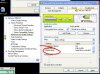
How do i disable vertical-sync on one of these cards, i have looked all around the display options and cant seem to find it. Thanks
 
How do i disable vertical-sync

WINDOWS GFORCE SETTINGS:
Display Properties > Settings > GeForce xxxx xx > (Classic view) > Performance and Quality ...


CS:Source
Display Settings > Advanced > Vertical Sync.
 

Attachments

  • untitled.JPG
    untitled.JPG
    73.3 KB · Views: 146
I dont get that, when i click advanced and click my graphics card it says start nvidia control panel, and i cant find disable vertical-sync anywhere, anyother ideas?
 
I dont get that, when i click advanced and click my graphics card it says start nvidia control panel, and i cant find disable vertical-sync anywhere, anyother ideas?

ok go into display properties > settings > advanced > MONITOR > change the refresh rate to 60 or more Hertz, click OK and save it.

match your game resolution with your current windows resolution.

good luck, but you can disable vertical sync in the game properties > display > advanced
 
Back
Top