

some websites dont work on my network pc

D

Dwarfer

Guest
i can visit secure websites, but some pages it wont let me access, such as amazon and paypal, all others ok im sure theres more but its like they're blocked and its just on this pc

i can visit paypal.co.uk but when i try to log in it saysInternet Explorer cannot display the webpage

Most likely causes:
You are not connected to the Internet.
The website is encountering problems.
There might be a typing error in the address.

What you can try:
Diagnose Connection Problems

More information


ive diagnosed trial-error msconfig but it doesnt seem to be a start-up program, i disabled firewall and virus scanner still doent work

any ideas appreciates
 
Hi,

I would first clear all your cookies and temp files (including the offline ones) and then try it again. If that doesnt work, try resetting the browser back to its defaults. Go to the security tab and click on each of the web zones and then click the default button below. Also, it might be worth adding those 2 sites to the Trusted zone on that screen as well. Then go to the Advanced tab and click the restore defaults button, then click ok to close it. If that still doesnt work, you can open the command prompt and type ipconfig /flushdns and hit enter. Then restart Internet explorer and try it again. I hope this helps! :)
 
thanks for info i did everything you said but it still wont let me on the sites.

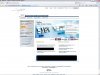
here is some screenshots of the errors
EVEN THE PAYPAL IMAGE ISNT SHOWING, it doesnt show paypal logo in ebay either

PIC1: PAYPAL ERRORS
PIC2: THE LOGIN PAGE DOESNT APPEAR
 

Attachments

  • pp.JPG
    pp.JPG
    123.3 KB · Views: 188
Hi,

The next thing I would try is open up the internet options again and then go to the content tab and click the clear ssl button. Then close and reopen the browser and try it again. Also, if you have another browser, like firefox or netscape, are you able to view the pages with those? Or, if there is another user account on your computer, if you sign into that one are you able to sign into paypal or amazon from that account? You may also want to check for spyware using something like spybot search and destroy or adaware and see if they find anything as well. :doh:
 
Hi,

The next thing I would try is open up the internet options again and then go to the content tab and click the clear ssl button.

Wildcard you're a bloody certified a+ bloody GENIOUS!!!

thank you v v v vmuch!!!!!!!!!!!!!!!!!!!!!! :D
 
Back
Top